
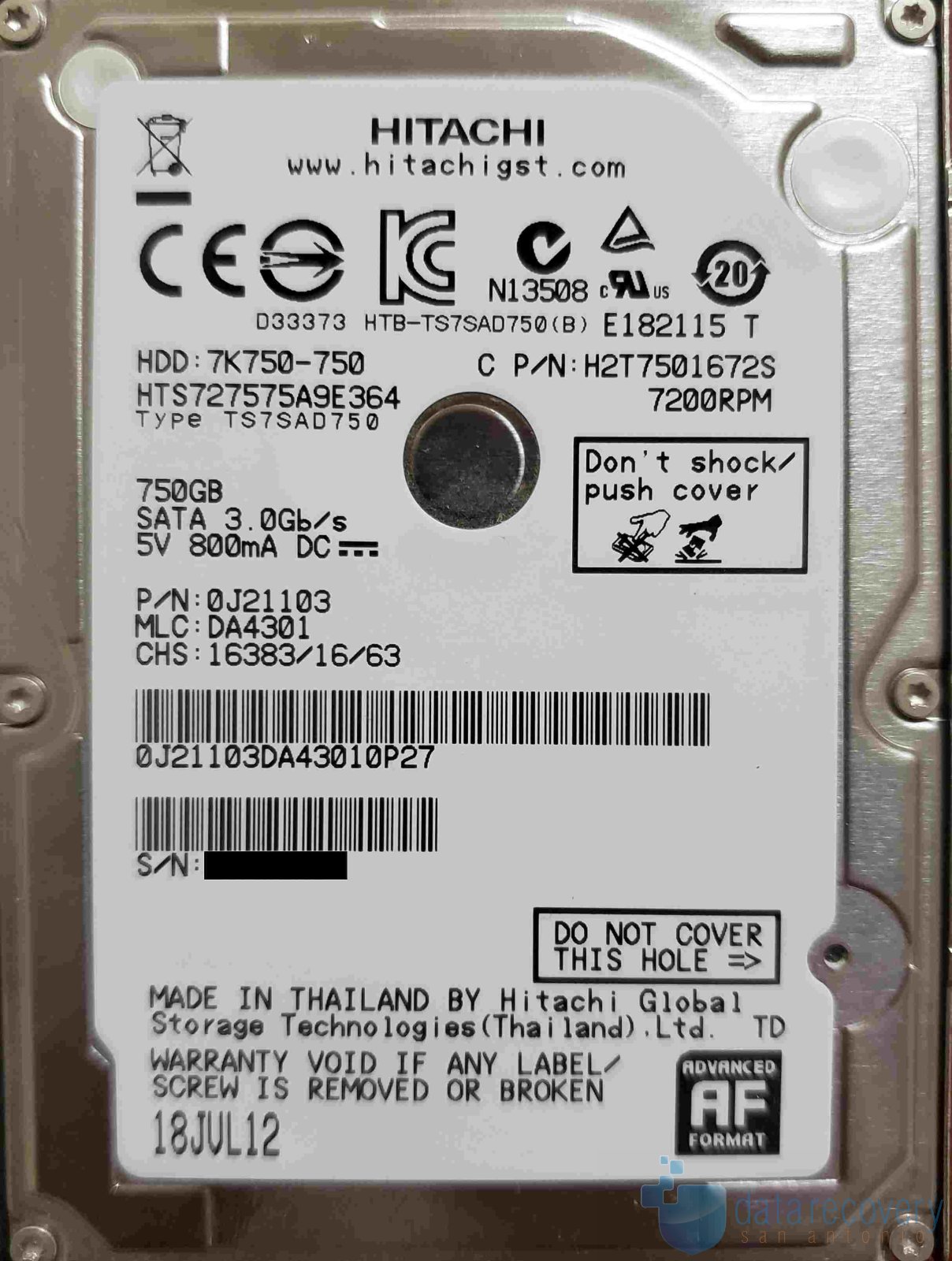
Manufacturer: Hitachi
Model: HTS727575A9E364
Capacity: 750GB
Customer States: Customer accidently permanently deleted a critical folder and then downloaded recovery software to the Asus PC. The only data recovered had ‘weird’ file names and did not open correctly. Customer then ran chkdsk /f which ran for a ‘long time’.
Evaluation: The drive was found to have SMART errors and the file system was damaged by the chkdsk process.
Recovery Process: The service area modules were backed up and a fix was implemented to prevent further issues with reallocation. The drive was cloned sector by sector working from good areas and then targeting bad areas. The file table was reconstructed as much as possible and scanned for the clients critical data. A second ‘RAW’ recovery was performed.
Important Notice: chkdsk is designed to repair file system structures, not to recover lost files. Using it on a failing or corrupted drive can permanently destroy your data.
When chkdsk runs, it prioritizes the integrity of the operating system’s file allocation table over individual file safety. If it detects a conflict, it will aggressively truncate, modify, or completely delete corrupted files and sectors to make the drive readable again. Furthermore, the intense read/write stress it puts on a mechanically failing hard drive can cause immediate, catastrophic hardware failure.
Results: The clients critical data was recovered.
Need Professional Data Recovery?
Never run chkdsk or other OS commands when your data is not backed up. If your drive is not recognized, slow to respond, not spinning, or showing other signs of failure, power it off immediately and consult a professional. If you need data recovery assistance, make an appointment or call/text 210-417-4157 to check our availability.